


ThirdReality
Smart Air Quality Sensor
Regular price
$49.99
Unit price
per
Couldn't load pickup availability
⚡ This unit ships with a US-standard plug by default


Product details
⚡ This unit ships with a US-standard plug by default
Know what you actually breathe at home. The THIRDREALITY Smart Air Quality Sensor combines precision Sensirion sensors with fast, stable Zigbee 3.0 connectivity and fully local automation — no cloud required.
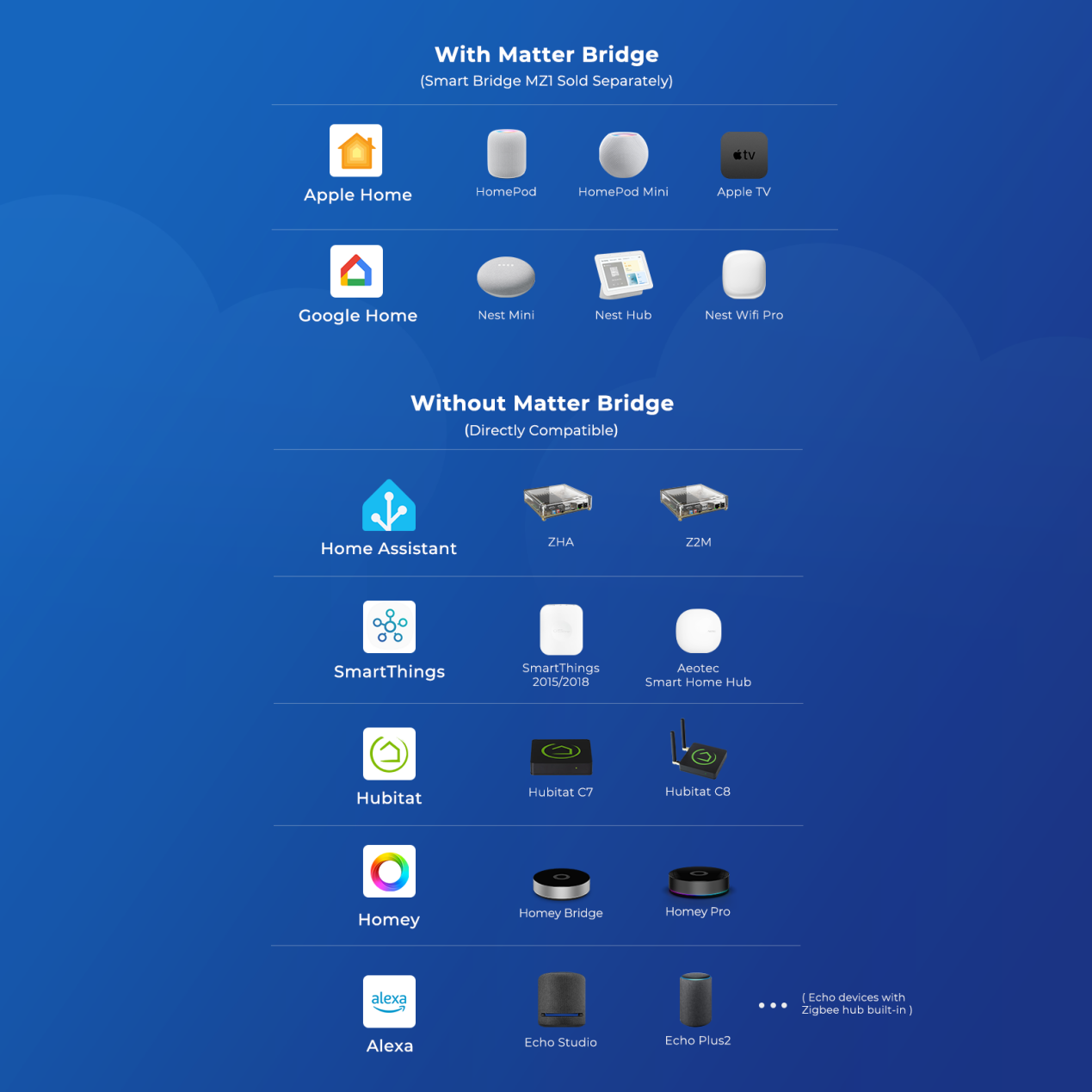
- Fast, Stable Zigbee 3.0 Connection: A Zigbee hub is required. Compatible with Zigbee hubs and Echo devices with built-in Zigbee hubs, including Echo (4th Gen), Echo Plus (1st & 2nd Gen), Echo Studio, Echo Show 8 (3rd Gen), Echo Show 10 (2nd & 3rd Gen), Echo Hub, Home Assistant, SmartThings (2015/2018), Aeotec, Hubitat, Homey Bridge, Homey Pro, and Third Reality Hub Gen2 Plus.
- 4-in-1 Accurate Air Monitoring: Equipped with precision Sensirion sensors, this monitor delivers accurate readings for CO₂ (400–5000 ppm), VOC Index (0–500), Temperature (±0.1°C), and Humidity (±1% RH), helping you understand what you actually breathe at home.
- Easy Setup & Remote Monitoring: Plug the sensor into the included power adapter, open your compatible app and pair with a few taps. After successful pairing, you can remotely check and monitor your indoor air quality anytime, anywhere with ease.
- Adapter Powered, Always On: Powered by the included adapter for 24/7 uninterrupted standby and monitoring, eliminating the hassle of frequent battery replacement. Configurable reporting intervals (30–300s) let you balance timely data updates with stable network performance. (Custom interval settings are currently supported via Home Assistant and Third Reality.)
- Automatic Air Rules: Not only monitor the data, but also create routines. Set your own thresholds in your hub: when CO₂ breaches 1000 ppm, the exhaust fan kicks on. When VOC spikes, the purifier ramps up. When humidity drifts too high, the dehumidifier responds. No cloud routing. No app tapping. Just pure, local automation that turns air data into air action — instantly.
Product setup and resources
Zigbee compatibility
Smart Air Quality Sensor is a Zigbee product and requires a compatible Zigbee hub or coordinator before it can be added to an ecosystem.
Use the product manual and firmware history below to confirm setup steps and current platform notes for this SKU.